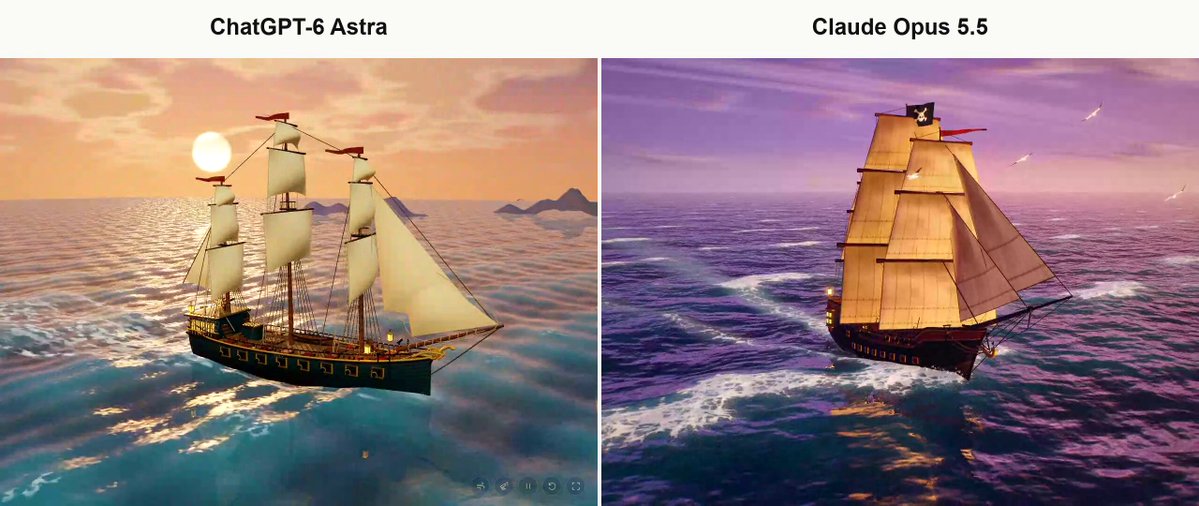
A verified author comment supplies this prompt for the pirate-ship comparison. The root post identifies the right-hand scene as Claude Opus 5.5, and a second verified author comment links to the Claude artifact. The instruction requests a standalone browser page containing a detailed, animated pirate ship sailing through a cinematic stylized sunset ocean.
Create from scratch a fully interactive 3D scene of a pirate ship sailing across a dynamic ocean at sunset. The visual style should be cinematic and stylized rather than photorealistic, while still being exceptionally rich, detailed, polished, and visually sophisticated. Build the ship, ocean, sky, lighting, materials, sails, rigging, cannons, small structural details, sea foam, wake, particles, animation, camera work, composition, atmospheric depth, and color grading. The final result should feel like a premium, high-production 3D artwork, not a prototype, technical demo, or low-quality scene. Start from a completely blank page. Do not reuse or depend on any previous project or scene. You may create the assets yourself or use reliable, trusted, open-source assets and libraries when necessary. Mandatory requirements: No text of any kind may appear anywhere inside the scene. No titles, names, logos, descriptions, credits, labels, or control instructions in any language. Deliver the entire project as one final standalone page file that can be opened directly in a web browser, with assets embedded inside it as much as reasonably possible. The ocean, ship, sails, and camera must all be animated naturally and smoothly. Avoid artificial slow motion or sluggish movement. The ship should feel like it is genuinely moving through the water. Do not rely on primitive geometric shapes as the finished result. Build a visually convincing and detailed pirate ship, including a carefully shaped hull, masts, sails, rigging, ropes, cannons, railings, lanterns, deck structures, and clearly visible small-scale details. Lighting must reveal the ship's geometry and materials clearly. Create a rich sunset atmosphere, deep ocean shading, reflections, convincing sea foam, and a detailed sailing wake behind and around the vessel. Maintain a strong balance between visual quality and real-time performance, preserving smooth interaction and animation without making an obvious sacrifice in quality. Automatically use the most appropriate skills, tools, libraries, techniques, and available assets needed to achieve the best result. Do not wait for me to specify which technologies to use. Actually test the finished result in a desktop web browser. Capture visual screenshots, inspect the browser console for errors, and fix every visible or technical issue you find, including distorted geometry, black screens, failed asset loading, broken animation, poor composition, rendering artifacts, or camera problems. At the end, verify that the final file opens and works directly, that the scene contains no text whatsoever, and that there are no remaining runtime or loading errors. Then finish the task with only a brief response.
How to use this prompt
01
Start with the right workspace
Open your preferred coding assistant or 3D tool. Use the model shown on the example as a starting point, and check any linked project for setup instructions.
02
Choose one thing to change
Swap the subject, art style or setting. Keep the camera and interaction clear. Build a small version first, then refine one detail at a time.
03
Give the scene its own assets
For a custom character or prop, create a 3D model from a short object description or reference image, then bring it into your project.
Previews belong to their respective creators. Check the original source and project license before reusing code or assets.