3DPrompt.
GitHub
Back to the library
GPT-6 AstraReference brief

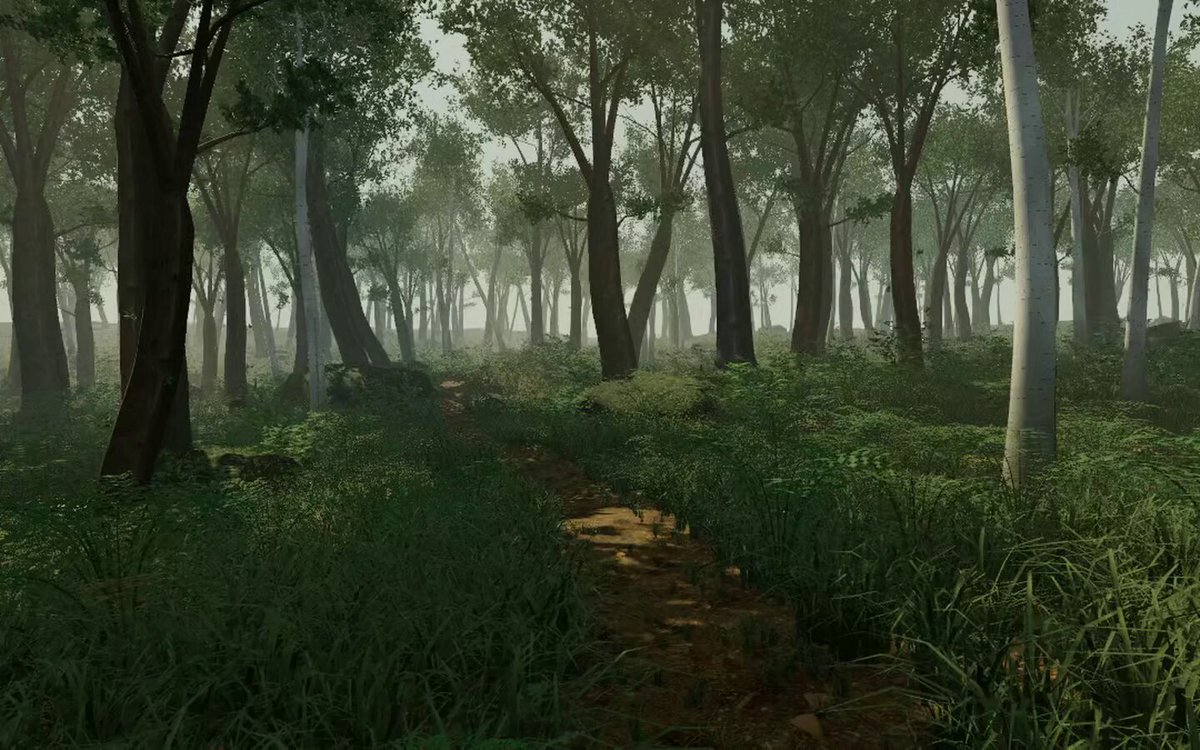
Extremely detailed real-time 3D forest in the browser

A verbatim prompt for creating and publicly publishing a highly detailed browser-based real-time 3D forest with dense vegetation, terrain variation, atmospheric effects, free-camera exploration, and iterative visual inspection.
Created by Rakib HossenView original source
Extremely detailed real-time 3D forest in the browser

About this example

A starting brief based on the creator's public project, not a verbatim original prompt. Your result will vary.

Creator notes

Use this prompt to build a dense, atmospheric real-time 3D forest in the browser, iteratively inspect it from multiple viewpoints, improve visual quality and immersion, and publish the finished experience publicly on ChatGPT Sites.

3D forestreal-time 3Dbrowser 3Dprocedural vegetationterrainfree-camera explorationfoliageatmospheric effects

The prompt

First search for the "/unlazy" skill, read it fully, and use it throughout the entire task. Treat this as a major visual build lasting at least 5 hours. Prefer 8–24 hours of meaningful implementation and iteration if the environment allows it. Do not stop after producing one decent-looking scene. Create an extremely detailed real-time 3D forest in the browser. Nothing else. No landing page, cards, story, marketing UI, dashboard, or unnecessary text. The forest itself is the entire experience. Push density and visual quality extremely hard. Build massive amounts of detailed grass, varied trees, branches, leaves, bushes, ferns, moss, flowers, weeds, roots, fallen wood, stones, soil, leaf litter, small plants, terrain variation, and tiny environmental details. The forest should feel almost excessively dense. Empty ground should be rare. Focus obsessively on: realistic tree silhouettes, dense grass, natural asset variation, rich colors, lighting, contact shadows, wind, foliage motion, atmospheric depth, fog, sun shafts, particles, terrain, materials, scale, composition, and detail at both close and far distances. Avoid obvious repeating assets, billboard-looking foliage, tiled terrain, floating plants, plastic materials, identical trees, sparse procedural placement, excessive bloom, or a generic Three.js demo appearance. Include smooth free-camera exploration. Repeatedly capture and inspect the scene from many positions. Identify weak vegetation, empty areas, bad colors, repetition, poor materials, unrealistic lighting, ugly tree shapes, performance bottlenecks, and anything that breaks immersion. Fix these issues and continue increasing quality throughout the run. The goal is not feature count. The goal is to make one browser forest look completely ridiculous in terms of detail and atmosphere. Build the full experience, publish it PUBLICLY on ChatGPT Sites, verify the deployment, and return the public URL.

How to use this prompt

01

Start with the right workspace

Open your preferred coding assistant or 3D tool. Use the model shown on the example as a starting point, and check any linked project for setup instructions.

02

Choose one thing to change

Swap the subject, art style or setting. Keep the camera and interaction clear. Build a small version first, then refine one detail at a time.

03

Give the scene its own assets

For a custom character or prop, create a 3D model from a short object description or reference image, then bring it into your project.

Previews belong to their respective creators. Check the original source and project license before reusing code or assets.