Start with the right workspace
Open your preferred coding assistant or 3D tool. Use the model shown on the example as a starting point, and check any linked project for setup instructions.
A reusable prompt for creating an explorable 3D Chinese courtyard with Blender and Three.js, including architectural elements, interactive navigation, environmental effects, animated wildlife, and a browser-deliverable project.
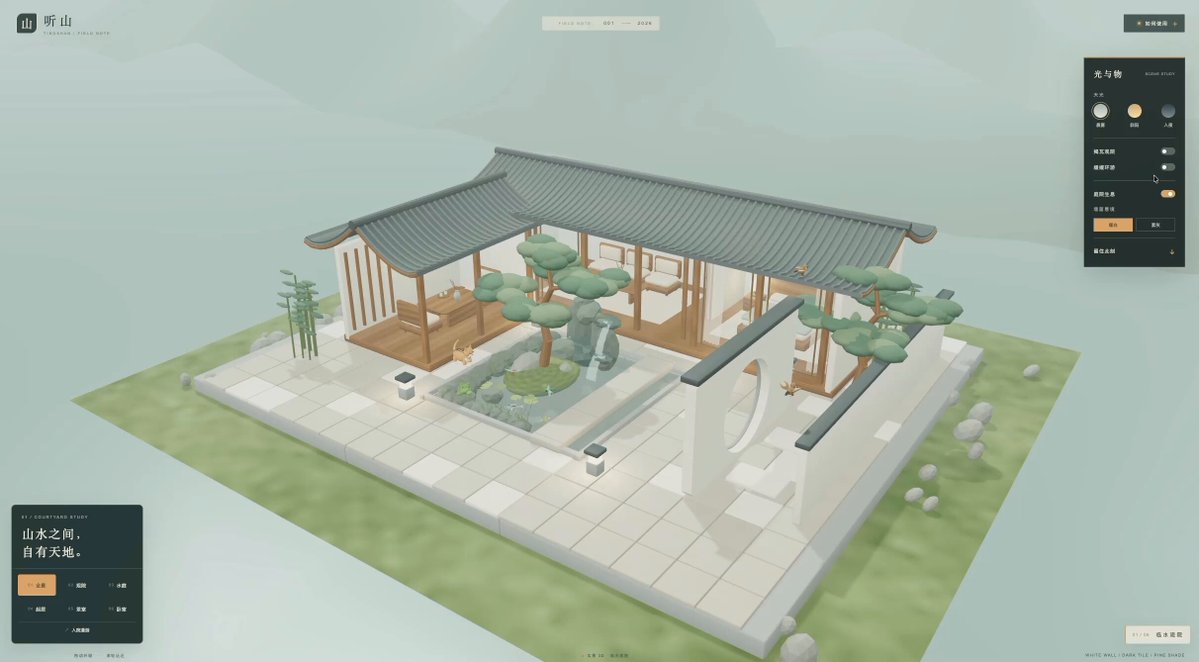
About this example
A starting brief based on the creator's public project, not a verbatim original prompt. Your result will vary.
This prompt is reproduced verbatim from MrLarus’s public follow-up. The root post quotes LufzzLiz’s earlier courtyard demonstration. MrLarus’s authorship of that demonstration and whether this was its actual input have not been independently verified.
Build an interactive Chinese courtyard using Blender and Three.js that I can explore in a browser.
Open your preferred coding assistant or 3D tool. Use the model shown on the example as a starting point, and check any linked project for setup instructions.
Swap the subject, art style or setting. Keep the camera and interaction clear. Build a small version first, then refine one detail at a time.
For a custom character or prop, create a 3D model from a short object description or reference image, then bring it into your project.
Previews belong to their respective creators. Check the original source and project license before reusing code or assets.