
Start with the right workspace
Open your preferred coding assistant or 3D tool. Use the model shown on the example as a starting point, and check any linked project for setup instructions.
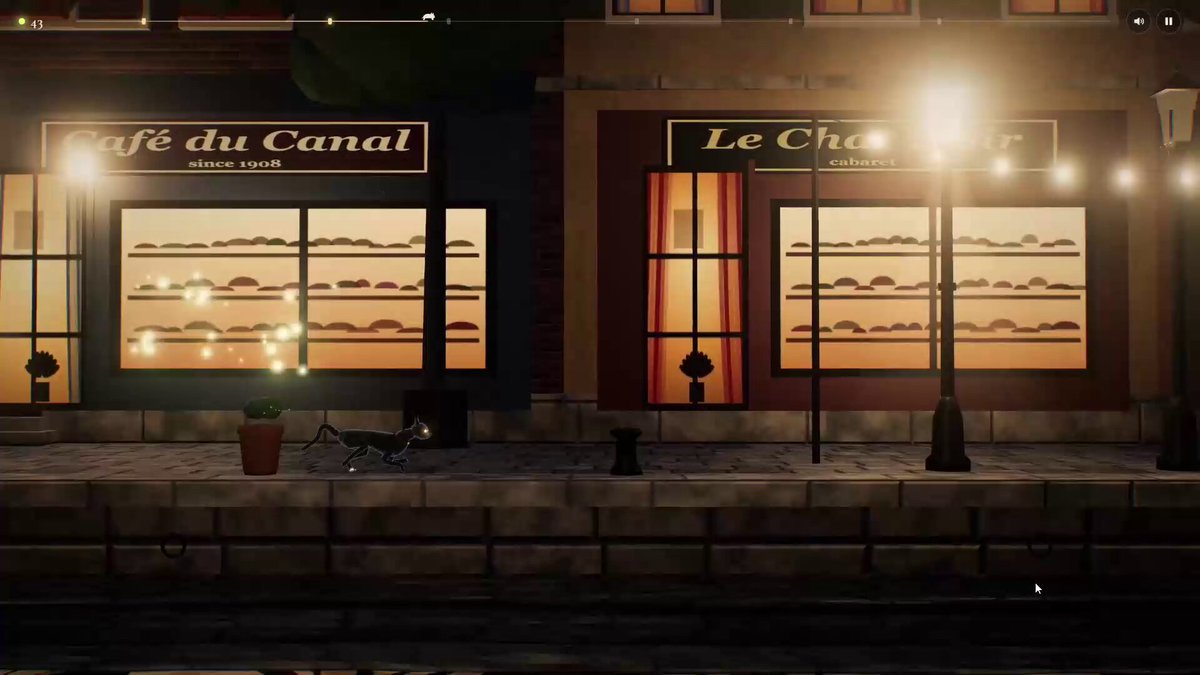
A game development prompt published by a creator who tried Claude Opus 5.5 and shared it as something they actually used. It specifies “CatWalk,” a side-scrolling game where a cat moves along an automatically scrolling catwalk and clears obstacles and gaps with simple jump controls. The prompt calls for a mature, atmospheric 3D aesthetic, lighting such as streetlamps and lanterns, nighttime streets, and walking, running, and jumping animations for the cat. It first asks for one playable stage with a single complete loop.
About this example
A starting brief based on the creator's public project, not a verbatim original prompt. Your result will vary.
Open your preferred coding assistant or 3D tool. Use the model shown on the example as a starting point, and check any linked project for setup instructions.
Swap the subject, art style or setting. Keep the camera and interaction clear. Build a small version first, then refine one detail at a time.
For a custom character or prop, create a 3D model from a short object description or reference image, then bring it into your project.
Previews belong to their respective creators. Check the original source and project license before reusing code or assets.


