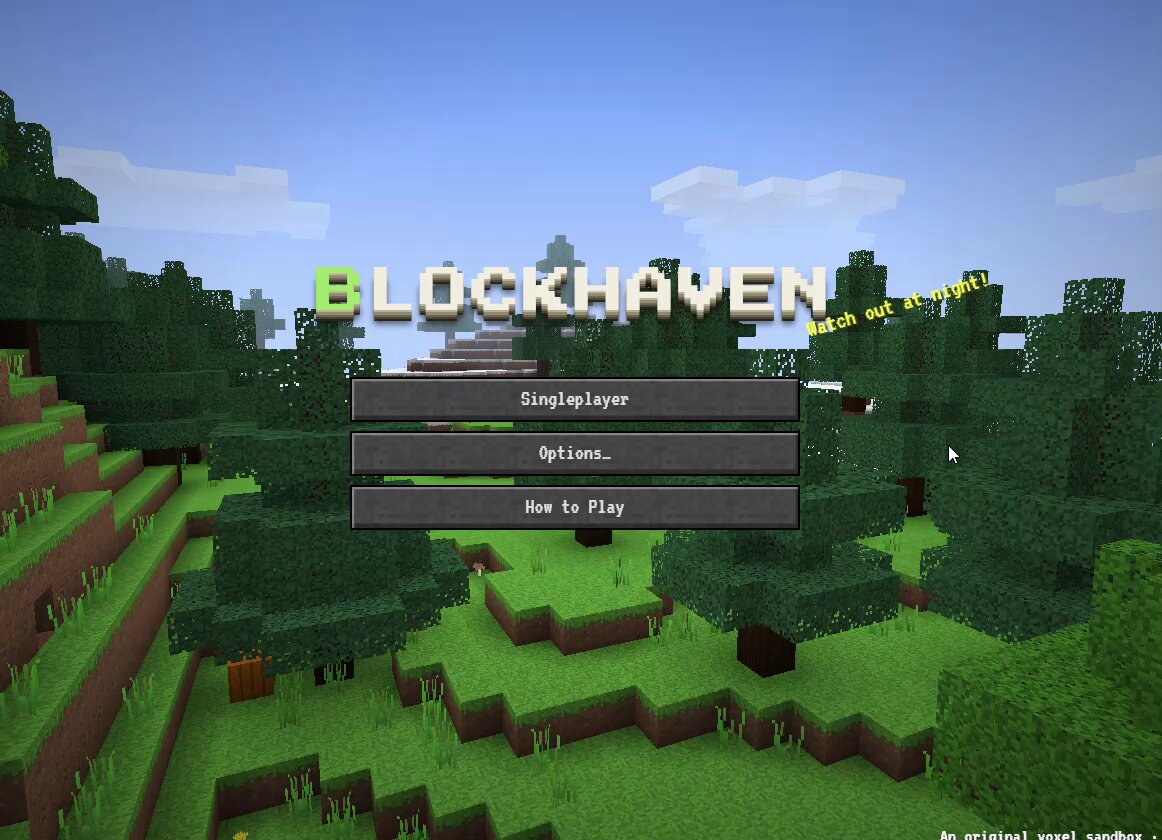
A prompt shared by kepochnik in an author comment for a browser-based sandbox game. The root post attributes the BlockHaven game to Opus 5.5. It requests an original, Minecraft-inspired voxel game with procedurally generated terrain, survival and creative modes, first-person controls, crafting, mobs, lighting, weather, localStorage saves, and headless-browser testing.
Build a browser sandbox game in the spirit of Minecraft that feels as close to the original as possible. All in-game text in English. Controls: keyboard and mouse (desktop). TECH - A single HTML file, plain WebGL2, no third-party libraries. - All 16×16 textures generated in code as pixel art (stone, dirt, grass, planks, leaves, ores, glass, water, lava, etc.). - Sounds synthesized with WebAudio: digging, footsteps, placing blocks, damage, mobs, explosions, calm background music. WORLD - Infinite world made of 16×16×128 chunks, with a seed. - Biomes: plains, forest, birch forest, taiga, snowy tundra, desert, mountains, oceans, beaches. - Caves (winding tunnels and large caverns), lava at the lower levels, ores by depth: coal, iron, gold, diamonds. - Three tree types, tall grass, flowers, cacti, sugar cane, pumpkins. - Minecraft-style lighting: sky light and block light (torches, glowstone, lava) that spreads cell by cell, with smooth lighting and ambient occlusion. - Day/night cycle: sun, moon, stars, sunsets, 3D clouds, distance fog, rain. - Water and lava flow by levels; two sources make infinite water; water + lava make obsidian or cobblestone. Sand and gravel fall. PLAYER - First person, collisions, jumping, sprinting, sneaking (doesn't fall off edges), swimming, ladders, fall damage. - Block breaking with crack stages and particles; break time depends on the tool. - Visible hand and held item with a swing animation. Third-person view on F5. SURVIVAL - Health, hunger, saturation, air underwater. - Tools in 5 materials with durability, armor in 4 materials. - Inventory with 2×2 crafting, 3×3 crafting table, furnace with fuel, chests, bed (skip the night and set spawn). - Item drops, death and respawn. - Mobs: pigs, cows, sheep, chickens (breeding, shearing); at night zombies, skeletons with bows, spiders. Zombies and skeletons burn in sunlight. - Farming: hoe, seeds, wheat growth, bread. Doors, fences, fence gates, TNT. CREATIVE - Flying on double-tap Space, instant block breaking, a catalog of all blocks with tabs and search. UI - Title screen with a world panorama, world list (create / delete / play), options (FOV, render distance, sensitivity, sound, brightness, GUI scale). - Pause menu, death screen, HUD (hotbar, hearts, hunger, armor, air bubbles), F3 debug screen. - Chat with commands: /gamemode, /time, /give, /tp, /summon, /weather. - Worlds saved in localStorage. RESTRICTIONS - Do not use Minecraft's name, logo, textures or characters (Steve, Creeper, etc.): give the game its own name and design your own mobs. TESTING - Run the game in a headless browser, check every system and fix bugs before delivering.
How to use this prompt
01
Start with the right workspace
Open your preferred coding assistant or 3D tool. Use the model shown on the example as a starting point, and check any linked project for setup instructions.
02
Choose one thing to change
Swap the subject, art style or setting. Keep the camera and interaction clear. Build a small version first, then refine one detail at a time.
03
Give the scene its own assets
For a custom character or prop, create a 3D model from a short object description or reference image, then bring it into your project.
Previews belong to their respective creators. Check the original source and project license before reusing code or assets.