3DPrompt.
GitHub
Back to the library
GPT-6 AstraReference brief

Interactive 3D Sun model website

Create an interactive Three.js website centered on a realistic 3D Sun made through a Blender Python script. The site supports rotating, moving around, and zooming into the Sun; includes a cosmic background and solar-system information; and provides an interactive anatomy view with labeled solar layers and descriptions.
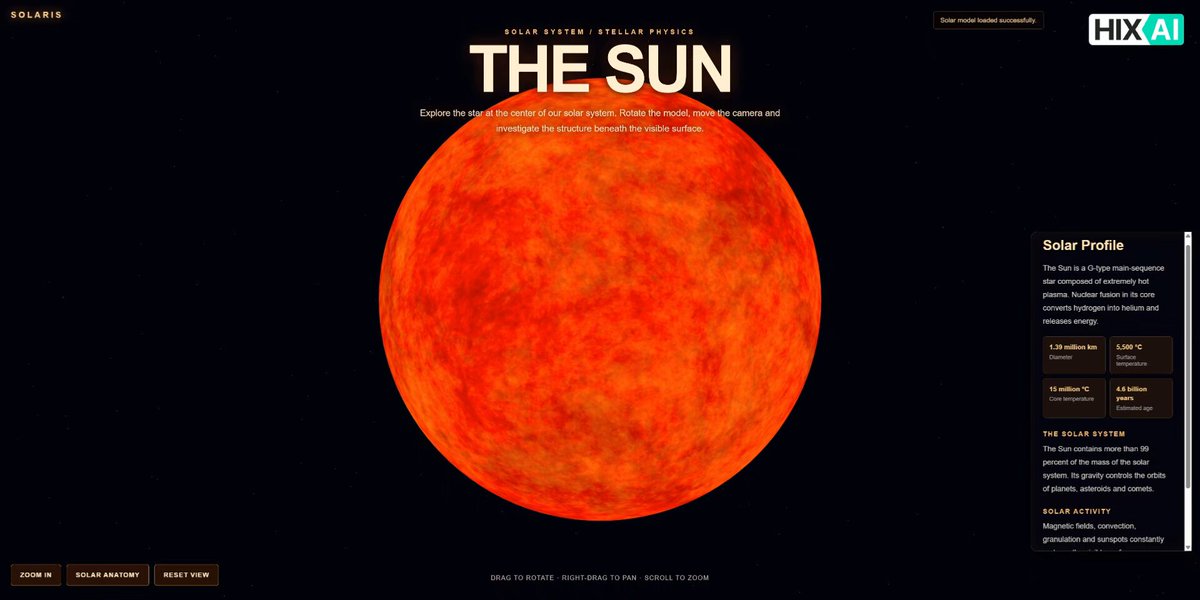
Created by HIX.AIView original source
Interactive 3D Sun model website

About this example

A starting brief based on the creator's public project, not a verbatim original prompt. Your result will vary.

Three.jsBlender3D Suninteractive websitesolar granulationsolar anatomyspace environmentscientific visualization

The prompt

I want to build an interactive 3D Sun model website using Three.js. First, please write a Python script that can be run directly in Blender to create a highly realistic 3D model of the Sun. The model should be based on the Sun's real physical and visual characteristics, including its spherical shape, surface texture, color, plasma-like appearance, solar granulation, and glowing atmosphere. It should not look like a simple orange sphere. Please use appropriate materials, shaders, textures, and lighting effects to create a realistic solar appearance. Then, write the complete website code using Three.js. The Sun should occupy approximately 80% of the main visual area. Users should be able to rotate the Sun, move the view, and zoom in and out. The scene should include realistic lighting and glowing effects to make the Sun look dynamic and three-dimensional. Add a zoom-in button that allows users to get closer to the Sun and observe its surface details. The website should also include informative content about the Sun and its role in the solar system. The overall background should be a realistic cosmic galaxy/space environment. In addition, add a button that opens an interactive internal anatomy view of the Sun. This view should show the major layers of the Sun, such as the core, radiative zone, convection zone, photosphere, chromosphere, and corona. Each layer should have a corresponding label and a short text description. Ideally, users should be able to interact with the diagram and select different layers to view their information. Please make the website visually impressive, scientifically informative, and fully interactive, with a modern space-themed UI.

How to use this prompt

01

Start with the right workspace

Open your preferred coding assistant or 3D tool. Use the model shown on the example as a starting point, and check any linked project for setup instructions.

02

Choose one thing to change

Swap the subject, art style or setting. Keep the camera and interaction clear. Build a small version first, then refine one detail at a time.

03

Give the scene its own assets

For a custom character or prop, create a 3D model from a short object description or reference image, then bring it into your project.

Previews belong to their respective creators. Check the original source and project license before reusing code or assets.


