3DPrompt.
GitHub
Back to the library
GPT-6 AstraReference brief

Tokyo Tower Day-and-Night 3D Scene and Video

A production brief for creating a scene based on researched structural features of Tokyo Tower and the atmosphere of its surroundings, using actual 3D geometry to show both daytime and nighttime views. Deliverables include editable Blender files, an approximately 30-second MP4 for posting on X, preview images, and a README. The author is sharing this as an instruction prompt for Astra.
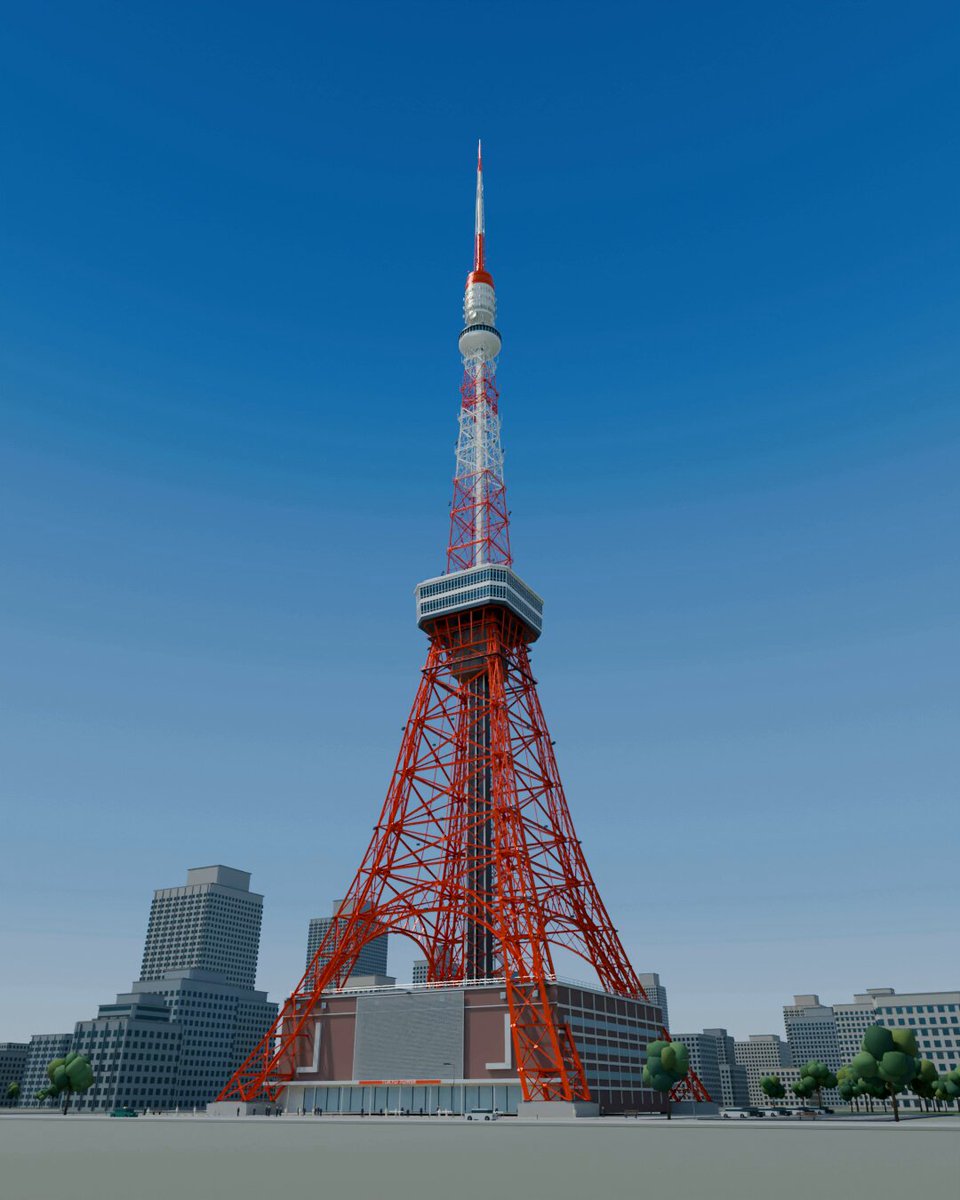
Created by WafffleView original source
Tokyo Tower Day-and-Night 3D Scene and Video

About this example

A starting brief based on the creator's public project, not a verbatim original prompt. Your result will vary.

Tokyo Tower3D sceneBlenderArchitectural modelingSteel frameworkObservatoryDay-and-night lightingCamera movement

The prompt

Create a compelling 3D artwork centered on Tokyo Tower, along with an approximately 30-second video for posting on X. You are the production director. Create the necessary subtasks and commission the research and production work. Take responsibility for defining the brief, managing progress, reviewing deliverables, requesting revisions, and compiling the final package. 【What to create】 Create Tokyo Tower in a way that conveys its height from a ground-level, upward-looking view and the fine detail of its steel framework from close up. Provide both daytime and nighttime versions: show the structure and paint during the day, and the beauty of the illumination at night. The work should make viewers feel that Tokyo Tower has been carefully studied. Research and reproduce distinctive details—not just the tower’s overall shape, but also the way its legs flare outward, the arrangement of its steel framework, the observatories, and the buildings at its base. Keep the surrounding city focused enough to convey the tower’s scale and sense of place. 【Production process】 ・Research official references and photographs, then determine which features to reproduce and set their priorities. ・Based on that research, provide specific production instructions for each subtask. ・Review an actual 3D preview early on and adjust the form, composition, and brightness. ・Review the finished images and video yourself, identify anything that feels off or incomplete, and request revisions. ・Make independent decisions about detailed technical choices and shot structure, and carry the project through to completion. Do not substitute a background made from pasted photographs or generated images. Express the scene using actual 3D geometry and camera movement. Record both verified facts and areas inferred due to insufficient reference material. 【Video】 Approximately 30 seconds. Combine an upward-looking ground-level view, close-ups of the steel framework and observatories, and a wide shot that shows the entire tower. Also show the transition between day and night. Decide on the exact timing and shot breakdown based on the completed model, choosing the structure that presents it most effectively. 【Deliverables】 ・Editable Blender files ・MP4 video for posting on X ・Preview images showing the full scene and details in both day and night settings ・A short draft post ・A README documenting asset sources, the scope of the reproduction, and verification results

How to use this prompt

01

Start with the right workspace

Open your preferred coding assistant or 3D tool. Use the model shown on the example as a starting point, and check any linked project for setup instructions.

02

Choose one thing to change

Swap the subject, art style or setting. Keep the camera and interaction clear. Build a small version first, then refine one detail at a time.

03

Give the scene its own assets

For a custom character or prop, create a 3D model from a short object description or reference image, then bring it into your project.

Previews belong to their respective creators. Check the original source and project license before reusing code or assets.


