3DPrompt.
GitHub
Back to the library
Claude Fable 5Reference brief

Blender city modeling prompt for building New York with Fable 5

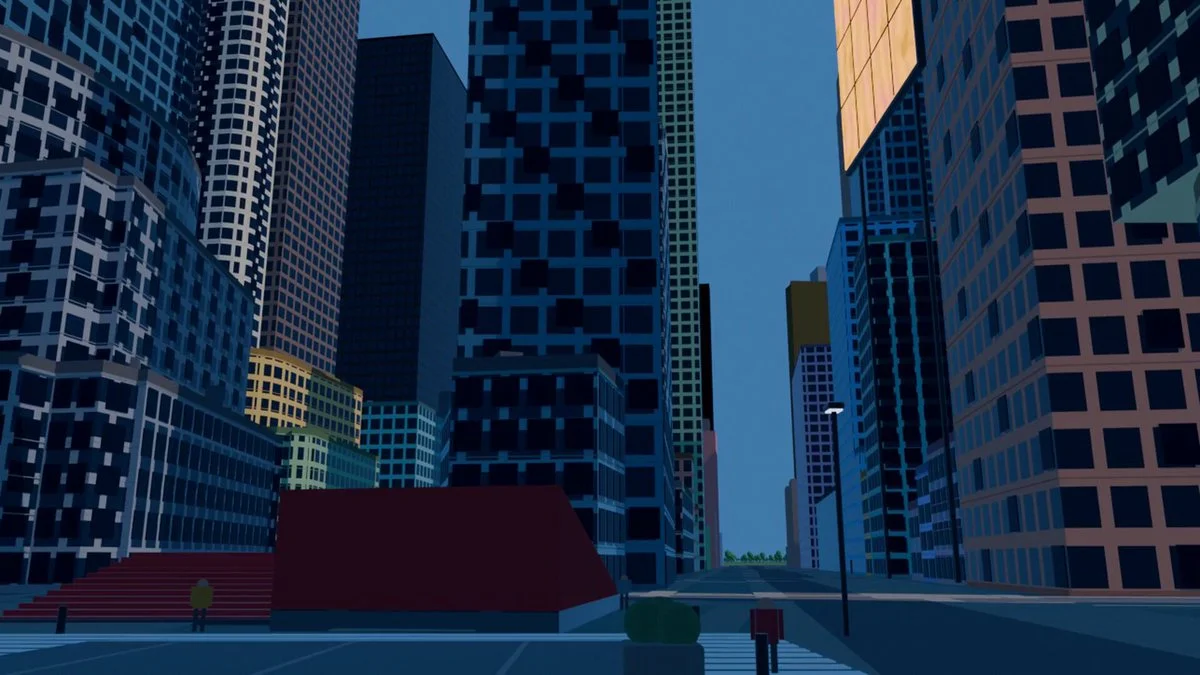
A Spanish post describing a Blender workflow that uses one prompt to generate a real-world city model, including the quoted prompt "armá Nueva York."
Created by Martin PuliView original source
Blender city modeling prompt for building New York with Fable 5

About this example

A starting brief based on the creator's public project, not a verbatim original prompt. Your result will vary.

Claude Fable 5Blendercity modelingNew Yorkprocedural

The prompt

This is New York. An agent built it by itself, with ONE prompt. I didn’t lift a finger. I still can’t process it. A few days ago I came across posts of people modeling in Blender with GPT 5.6 Sol and couldn’t think about anything else. I had to try it with something real. I started with my own house. It came out like garbage: deformed, gray, like a plastic model. I could have stopped there. But I started iterating. I put together some agents that crawl real data about the place from a thousand sources. Footprints, heights, coordinates. With Blender MCP + skills + libraries, they build the model using Blender’s own tools. When the system was ready, I typed a prompt: "armá Nueva York" It returned Manhattan. Real measurements, location nailed to the meter, without me touching a single vertex. What I didn’t expect is that I tested several models and in this GPT 5.6 Sol beats Fable 5 by A LOT. This was only a few days. I’m still iterating on the building detail. If you look at the previous videos on my profile you’ll see how much it improved from one update to the next. Now I’m trying to make it cover more area and detail with a single prompt. (If you know about textures and materials in Blender, I’m listening 🙏) But what’s really blowing my mind isn’t the model. It’s what opens up after. The .blend stays alive. With a couple of phrases you can add a new tower, move an avenue, or fuse entire cities. Buenos Aires on top of New York. The Obelisk standing in the middle of Times Square. I’m not modeling a city. I’m turning reality into a draft that can be edited. Repo + .blend in the first comment 👇 I’ll keep posting every step here. If you like how it progresses, follow me because we’re just getting started. What city do you want me to model next?

How to use this prompt

01

Start with the right workspace

Open your preferred coding assistant or 3D tool. Use the model shown on the example as a starting point, and check any linked project for setup instructions.

02

Choose one thing to change

Swap the subject, art style or setting. Keep the camera and interaction clear. Build a small version first, then refine one detail at a time.

03

Give the scene its own assets

For a custom character or prop, create a 3D model from a short object description or reference image, then bring it into your project.

Previews belong to their respective creators. Check the original source and project license before reusing code or assets.